
Take a little forest with you.
What is a browser extension?
Browser extensions are tiny programs that can change how your browser behaves. Some block ads. Some help you stay productive. This one simply grows a little forest.
Touch Grass isn't in the Firefox Add-on Store (yet) and that's okay. Forests usually don't arrive through official channels. So installing it takes one small extra step. Don't worry — it only takes a minute.
Let's plant a little forest together.
Every Forest starts with a seed. Download the little forest as a ZIP file.
In your downloaded files, there should be a zip now. Unzip that and it will create a folder called "BE-Touch_grass".
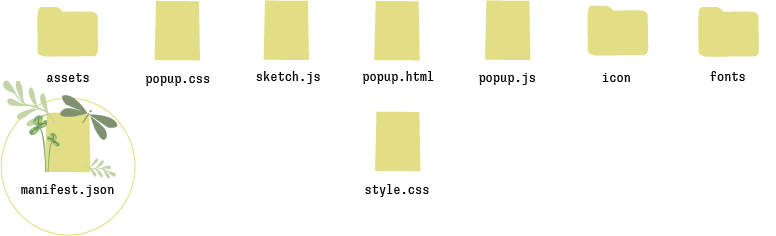
It probably looks a little confusing at first — but don't worry. You're almost there. Most of these files aren't important. The only one we're looking for is manifest.json. That's where the forest begins.
Now we will plant the seed.
Open Firefox and type "about:debugging" into the address bar. On the left, choose This Firefox. From there, you can temporarily load browser extensions. Select the manifest.json file from the folder you just unzipped.
That's it — your little forest is now installed.
If you'd like quicker access, click the puzzle piece in the top-right corner of Firefox and pin Touch Grass to your toolbar.
Touch Grass is open source.
If you want to add mushrooms, rain, frogs or entirely new creatures - please do. Every forest grows differently. Maybe your version will bloom in a completely different direction.
I'd genuinely love to see what grows from it.